Guide · From the photo box
Start a keepsake with an old printed photo
Digitize the photograph carefully, keep an untouched master, and make a separate copy for the keepsake. Then choose a crop and write one short caption using what you actually know. The photograph, the master file and the finished card have different jobs.
Cardbop lets you turn a permitted digital image and supported details into a printed card. Prepare the copy first, then try it in the Original style and review both sides.
Free to design · No account needed to start · Preview before ordering.
Begin with the photograph’s condition
Choose one manageable print rather than emptying the entire box. Work on a clear, dry surface and handle the print by its edges. If it is stuck to glass, flaking, curled tightly or attached to a brittle album page, pause before trying to remove or flatten it. A digital keepsake is not worth damaging the only original.
The Library of Congress photograph-care guidance explains careful handling and suitable housing. Do not apply adhesive labels or cleaning products to the image. For a condition problem, seek advice from a photograph conservator rather than experimenting with a household repair.
Choose a capture route that suits the original
A suitable flatbed scanner
A stable print that fits safely can be captured without cropping away its edges. Follow the equipment instructions and inspect the first file before continuing. Avoid automatic document feeding for a valuable original.
A carefully positioned camera
Keep the camera parallel to the print and check the image for glare, shadows, blur and perspective distortion. Keep the whole print visible. Do not remove a mount just to make the photograph fit the frame.
These are preparation choices, not results from a Cardbop scanner comparison. The Library of Congress digitization FAQ explains that equipment and resolution depend on the material and purpose. There is no single capture setting that guarantees a good result for every photograph.
Give the master and the card copy separate jobs
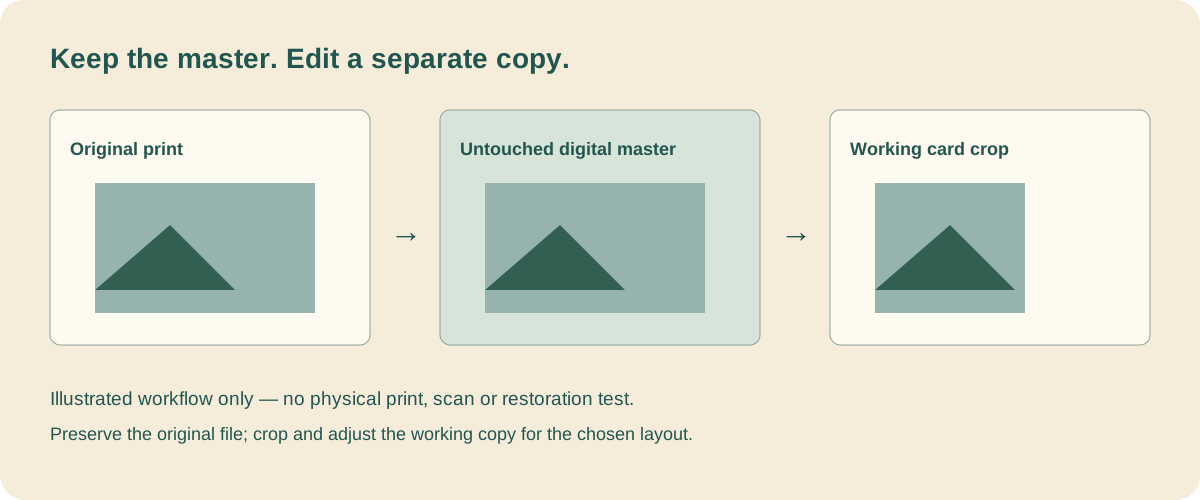
- Save the original capture. Retain the full frame and use a filename you can connect to the physical print. If useful context is written on the back, capture that separately too.
- Make a working copy. Crop or adjust that copy, preserving the untouched capture. Avoid repeatedly saving over the same file as you experiment.
- Keep a source note. Record where the print is stored, who supplied it and which names, dates or places remain uncertain.
- Keep another copy elsewhere. A file on one device is not a complete backup plan. Check that your copies open and that someone knows where to find the source notes.
The National Archives family-digitization guide recommends retaining physical originals and maintaining digital copies. The planning sheet below connects those materials; it is not archival storage or an automated importer.
Free printable planning sheet. Open it in your browser, then print or save a local copy. No email, upload or account needed. This worksheet is a planning aid, not a card print file or automatic import.
One remembered scene is enough for the card
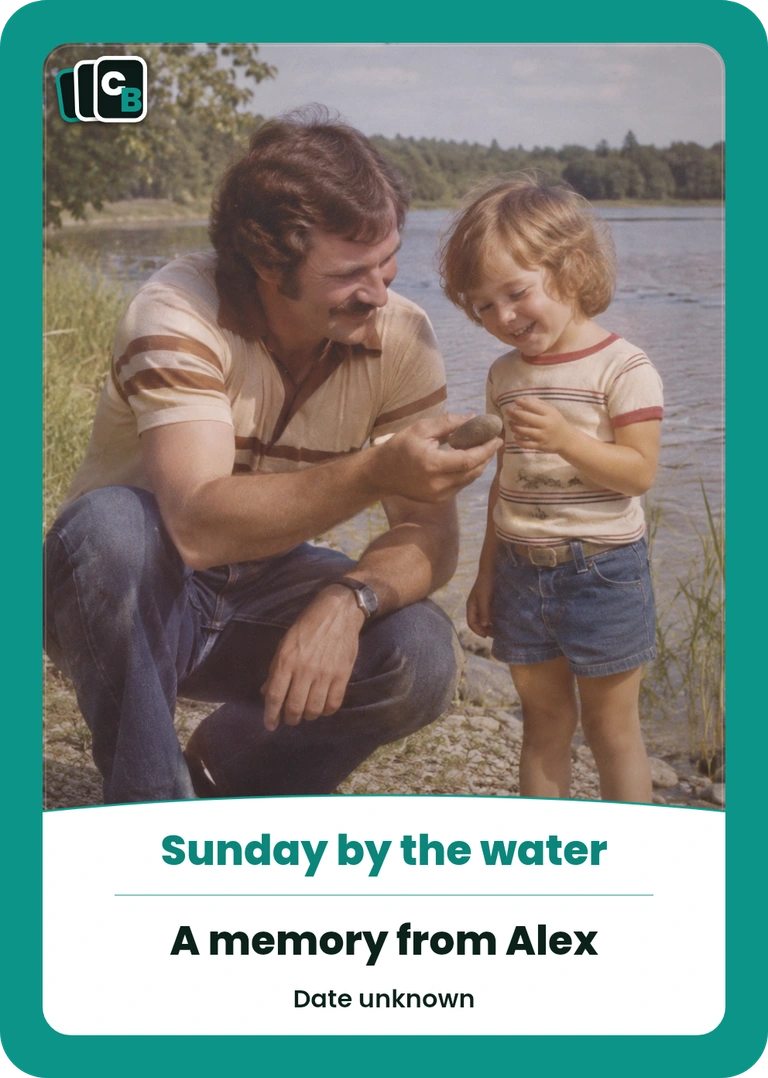
In this fictional example, Alex remembers Sunday walks with Dad: pockets full of pebbles and time for one more stone across the water. The card keeps that particular memory while leaving the date and location unconfirmed. An old-fashioned appearance alone would not establish either detail.
The finished fictional Original design
- Card title: Sunday by the water.
- Who / subject: A memory from Alex.
- When: Date unknown.
- Where: Left blank.
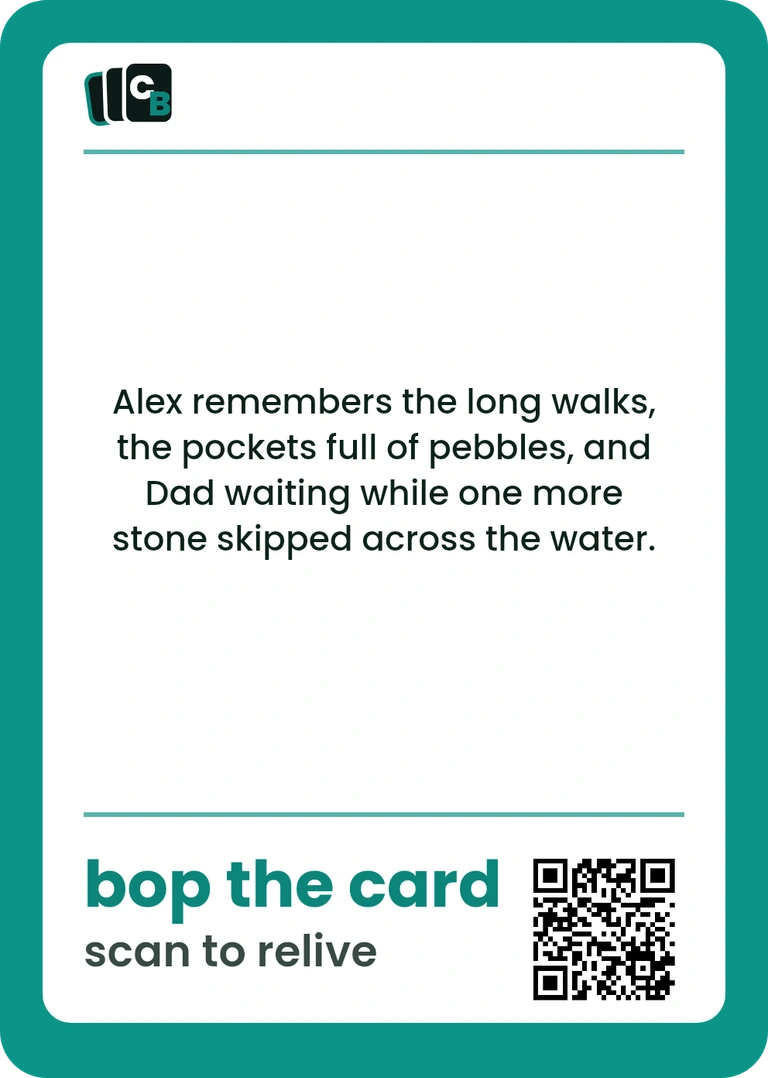
- Back message: Alex remembers the long walks, the pockets full of pebbles, and Dad waiting while one more stone skipped across the water.
Check names and permission with the people involved before sharing. For several relatives’ stories, the family-history project guide covers set planning and the difference between facts and recollections.
Keep the original. Make the moment yours.
Upload your permitted working copy, use the available fields and inspect the front and back. The teaching example does not automatically fill your design.
Free to design · No account needed to start · Preview before ordering.
Check the crop before choosing the format
An old group photograph may leave people too small when fitted to a portrait card. Try a crop that keeps the people or object relevant to the story, then inspect the actual preview. A tighter crop retains fewer source pixels; enlarging the file does not recover missing photographic detail. See the photo-framing guide and measured crop examples.
Choose one Display Card at $29.95 for a cased keepsake, or plan 10 physical cards in a Pack at $49.95. Every repeated design occupies a slot. Product prices are before applicable tax and shipping. Standard US Ground Shipping is $7.99 per order unless an eligible offer changes it. Review the total and any accepted code before payment.
If you use the QR-enabled Living Card, a longer account can stay separate from the printed caption. After you order, open the card's page and sign in with the email you ordered with to add to it. Only add material you intend the recipient to access; keep the master image and private research notes independently.
Frequently asked questions
How do I turn an old printed photo into a keepsake?+
Make a careful digital capture, retain an untouched master, then create a separate copy for cropping and card design. Add a short, checked caption. Keep the physical photograph and its source information separately; the keepsake does not replace them.
Should I scan an old photograph or take a photo of it?+
For an ordinary, stable print that lies flat safely, a suitable flatbed scanner is one option. A camera can help when a print is mounted or cannot safely lie on a scanner. Condition and equipment matter; do not force fragile photographs flat or feed valuable originals through a document feeder.
What resolution should I use for an old photo?+
Choose capture settings for the original and intended use, and retain the highest useful original capture. Cropping reduces available pixels. A DPI label alone does not establish sharpness; inspect the retained detail and your actual card preview rather than treating one setting as a guarantee.
Can Cardbop restore a damaged photo or identify the people?+
No. Supply an image you have permission to use and the details you want printed. Cardbop does not authenticate photographs, identify unknown subjects, recover missing detail or provide photograph-conservation services.
What should I write when the date or place is unknown?+
Leave the field blank or label the uncertainty plainly. Attribute a recollection when useful, such as remembered by Alex. Keep guesses and unresolved questions in your source notes rather than turning them into printed facts.
How much is a photo keepsake card?+
Designing and previewing are free. One Display Card sealed in a clear case is $29.95; a 10-card Pack is $49.95. Product prices are before applicable tax and shipping. Standard US Ground Shipping is $7.99 per order unless an eligible offer changes it. Review the total and any accepted code before payment.