Guide · The night you went together
Keep the night, not just the ticket
Choose your own permitted photo, check the event details and write one moment you want to remember. Add who was there and why the night mattered. A concert memory card keeps that personal story together even when your ticket only lived on a phone.
Use Cardbop’s Original style for the photo, who, when and where, then put the memory on the back. Make a keepsake of attending the show together.
Free to design · No account needed to start · Preview before ordering.
Remember something only your group would say
Start with the people and the scene: finding each other by the lights, a song everyone joined in on, or the walk home. “We sang the last chorus all the way home” makes a better personal caption than a list of impressive claims about the show.
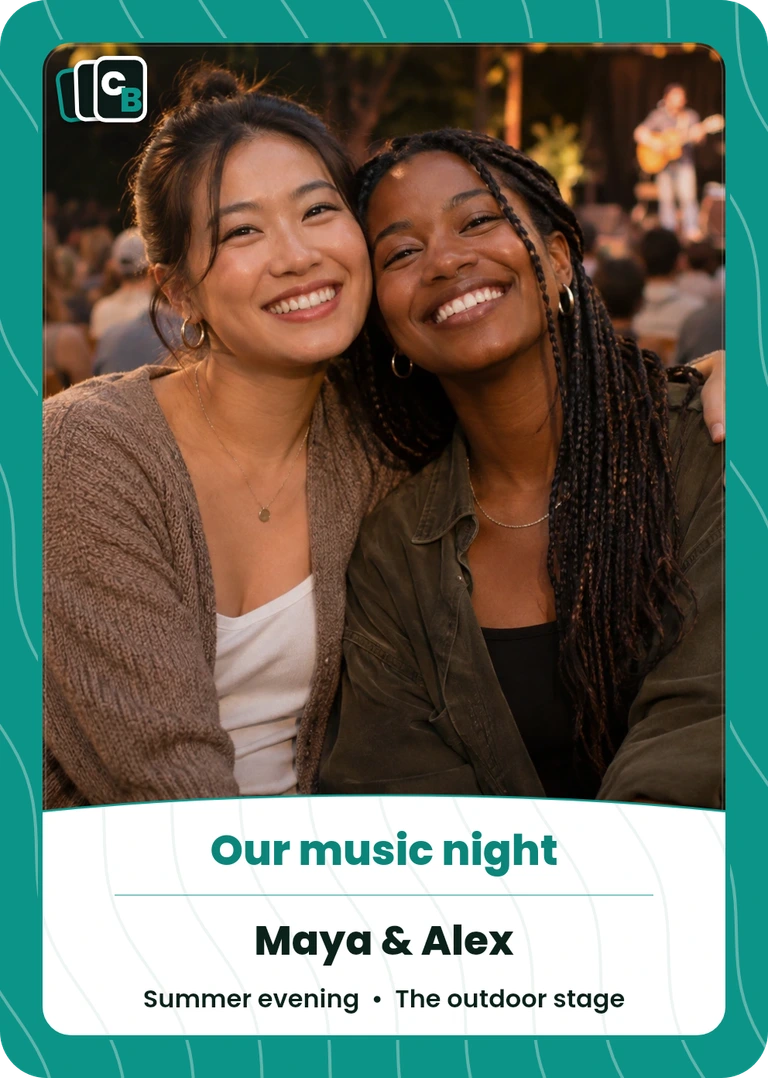
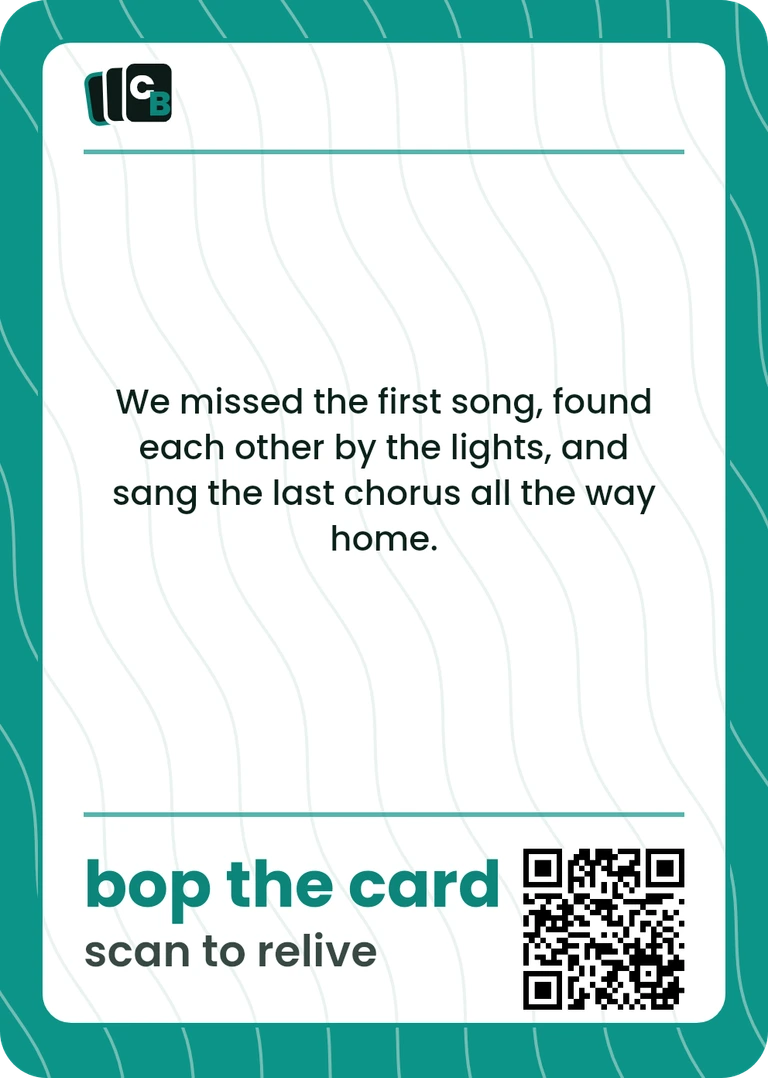
The example leaves out a performer name and exact date because it is a fictional concept. On your own card, check those details against a source you trust before adding them. A clear unknown is better than an invented tour date.
Make an event note while the details are fresh
- Event: write the performer or event name as you want it remembered.
- When and where: check the date and venue; keep the source in your private notes.
- Who attended: choose names or a short group description with permission.
- One image: select a photo you can reproduce and that still works in a small crop.
- One moment: finish “I want to remember…” in your own words.
- Recipient: decide who the card is for and what they can see behind its QR.
Free browser worksheet. Print it or save a local copy; no email, upload or account needed. It is a planning aid, not a card print file or automatic importer.
This sheet helps you prepare a story; it does not retrieve ticket data or import anything into Cardbop. Keep account details, admission codes and purchase records in their appropriate private places.
Your photo. Your part of the story.
Upload your prepared image, choose Original and add the details that fit. The guide’s fictional names and story are not automatically copied into your design.
Free to design · No account needed to start · Preview before ordering.
Choose a photo you can recognize at card size
Distant stage shot
If faces and the stage become tiny or blurry in the crop, keep that image in your album and choose a clearer main photo.
Friends or the setting
A well-lit photo of your group, a permitted venue view or a small detail can remind you of the evening without needing a recognizable artist close-up.
Respect event rules and the rights of the people who made or appear in an image. Do not assume a downloaded promo photo, album cover or a stranger’s concert photograph is free to reproduce. See photo preparation for framing and crop guidance.
In Original, use Card title for the event or memory, Who / subject for your group, Detail for a short line, When for the checked date and Where for the venue. Keep the longer anecdote on the back, and check every line in the preview.
Let the music link support the memory
A printed Cardbop QR opens the page that belongs to that card. After you order, open the card's page and sign in with the email you ordered with to add to it. You can add supported external links, including a playlist, alongside a longer story or more photos. Test the intended recipient’s access and revisit the external service’s sharing settings before giving the card.
Cardbop does not host concert audio or video, import playlists or guarantee an external link stays available. Keep the printed story meaningful on its own. The QR and Living Card guide explains the actual destination and editing flow.
One Display Card sealed in a clear case is $29.95. For a 10-card Pack at $49.95, choose the style for the set, personalize each card’s color and plan each slot, including duplicate gifts for friends. This is a photo keepsake, not an official artist product, ticket replica or admission pass.
A memory format beyond the ticket stub
Physical ticket journals pair event mementos with room for a personal account. The Ticket Stub Diary from UncommonGoods is one adjacent format. Our card example and worksheet take a different approach: your permitted photo and a short original story.
Frequently asked questions
What should I put on a concert memory card?+
Choose a permitted photo, the event or performer name, a checked date and venue, who attended and one specific memory. Leave details blank when you cannot verify them. A favorite shared moment often says more than a long set list.
What if my concert ticket is digital?+
You can make a keepsake from your own allowed photo and remembered story without reproducing a ticket. Do not include the admission barcode, account screen or access credentials. A Cardbop memory card is not a replacement ticket and cannot admit anyone to an event.
Can I use an artist photo or album cover?+
Only if you have the necessary rights or permission to reproduce it. Buying a ticket does not by itself establish reproduction rights. This guide uses a disclosed generated concept photo; your own cleared image of friends or the setting may be a better fit.
Can the card link to a playlist?+
The printed QR opens the card’s Living Card, where supported links can point to an external playlist. After you order, open the card's page and sign in with the email you ordered with to add to it. This does not host music or guarantee recipient access to a third-party service. Check the playlist’s sharing settings.
Does Cardbop import my ticket or look up the concert?+
No. You provide the photo and supported details manually. Cardbop does not verify the event, retrieve a set list or turn a ticket into an entry credential.
How much is a concert keepsake?+
Designing is free. One cased Display Card is $29.95; a 10-card Pack is $49.95. Check the actual order total, shipping and tax before paying.
What if my concert photo is blurry or includes other people?+
Choose a clearer permitted photo from the occasion or another personal detail you can photograph yourself. Ask before featuring identifiable companions, and describe the real memory without claiming that a replacement or concept image documents the event. The card does not require an artist portrait or ticket image.