The Cardbop example index
Examples that show the decision—not just the decoration.
Use this library to decide which photo, fields, style, and back message fit your card. Every example is labeled so a fictional concept is never mistaken for customer work.
The short answer
A useful custom trading card example should explain why the card works. Check the crop, the amount of information on the front, the fit between the style and the occasion, and the story on the back. The galleries below pair every concept with those decisions instead of presenting unexplained mockups.
Six ways into the library
Start with the decision you need to make.
Ollie is an approved real pet example. Baseball uses a licensed stock photo with fictional personalization; the remaining previews are labeled demonstrations.
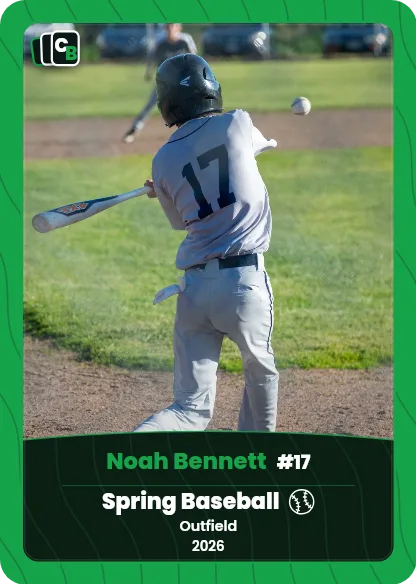
Licensed stock photo · Fictional sample personalization.
Process proof
Photo to card: before and after
Compare the source photo with the finished card and see exactly what the frame, fields, and back message add.
Open this collection →

Sports gallery
Youth sports card examples
Baseball, softball, soccer, basketball, hockey, volleyball, flag football, and dance concepts with useful field ideas.
Open this collection →

Pet keepsakes
Custom pet card examples
See how a familiar portrait, playful title, and a few true-to-pet details can become a rookie-style keepsake.
Open this collection →

Rookie moments
Custom rookie card examples
Use a first season, new arrival, first milestone, or fresh start as the story behind a one-of-one rookie card.
Open this collection →

Roster planning
Team card Pack examples
Plan a coordinated set while giving each player their own photo, details, message, and individual card style.
Open this collection →

Owner artwork · Permission-approved image shown as a TCG render.
Game-style cards
TCG card examples
Pets, people, and original art on a game-style card with HP, an element, two abilities, and flavor text.
Open this collection →

Choose a look
Card style examples
Compare the information each Cardbop style is designed to hold before you start writing or choosing photos.
Open this collection →
Evidence labels
Know what you are looking at.
- Concept example
- A fictional person or story used to demonstrate a real Cardbop layout and workflow.
- Process example
- The source photo and finished card are shown together so the transformation is inspectable.
- Customer example
- A real subject shared with permission, such as Ollie’s adoption card.
Frequently asked questions
Are these real customer cards?+
Ollie and Captain Sasha (the TCG example) are approved real pet examples. The baseball preview uses a licensed stock photo with fictional personalization. The other collection previews are fictional concepts used to demonstrate Cardbop layouts.
What should I look for in a trading card example?+
Look at four things: whether the photo stays readable inside the frame, whether the front details are easy to scan, whether the style fits the occasion, and whether the back message adds something the photo cannot say by itself.
Can cards in the same Pack use different styles?+
Yes. Every card can have its own style, photo, name, details, and back message, so a Pack can coordinate without making every card identical.
Can I preview my card before ordering?+
Yes. The creator shows the front and back while you design. You can adjust the photo and wording before deciding whether to order.